Employee Status after Confirmation
On approval of the confirmation appraisal, the confirmation appraisal record of the employee is updated in both Employment Details and Confirmation Appraisal Record forms.
· Updated employment details can be viewed by clicking Employment à Current Employment à Employment Details.
Refer Figure 2.6 Employment Details after confirmation – Current status for screenshot.
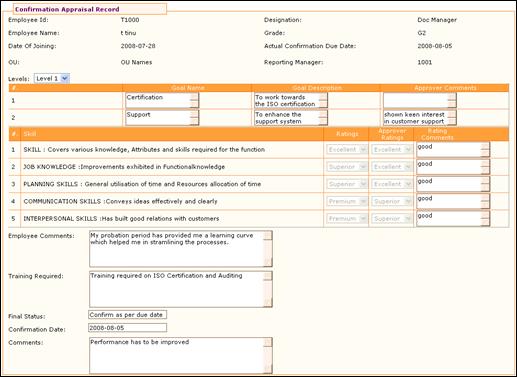
· The employee can view the confirmation appraisal details navigating through Employment Data à Current Employment à Confirmation Appraisal Record. (With either the Thumbs-up sign or the Thumbs –down).
Figure 2.18 Confirmation Appraisal Record
Select Level from the drop down. This is to view only the skill rating and comments given by the selected level approver. For example, if ‘Level 2’ is selected here, then skill rating and comments given by the second level approver will only be displayed on the form.
Note: The display of levels in this drop down field is based on the configuration settings. Use the Adrenalin Configuration Editor form under Admin à Product Setup to set the levels. (parameter name – ‘conf_level’)