
Employee Comparison
Why should I use this form?
This form is used for comparing the employment details of two or more employees.
What are the Pre-requisites?
N/A
Who can access this form?
This form shall be visible to all employees to whom the visibility is given in Product Setup à Module Role Mapping/Module Administration.
How to navigate to this form?
Point to Employment Details menu, select Employee Comparison from Current Employment.
Click [Choose Employees]. The Add Form popup window appears, allowing selecting employees for comparison. Please refer the image below:
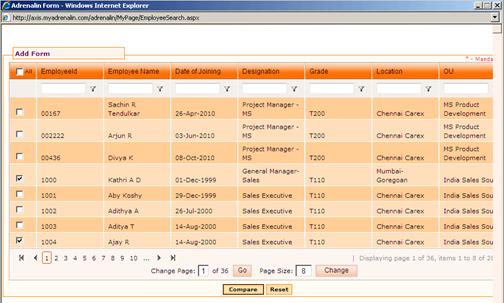
Select required employees by clicking the check box and click [Compare].
Selected employees’ comparison will be displayed, as shown here.
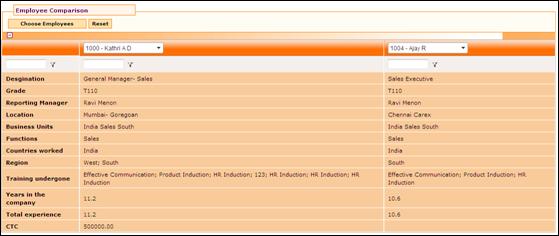
The parameters based on which the employees’ comparison is to be done can be set using the “Employee Compare List” form (Admin à Setup Masters).
Click [Reset] refresh the form.